Archives
Open
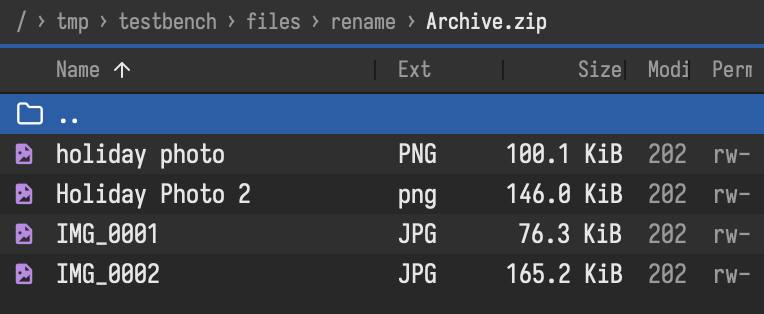
Enter on an archive opens it like a folder: zip, 7z, rar, tar and its compressed forms (.tar.gz, .tar.bz2, .tar.xz, .tar.zst), and single compressed files (.gz, .bz2, .xz). An archive inside an archive opens too. Copy files out with F5, view them with F3. Password-protected zip, 7z and rar archives ask for the password.
Pack
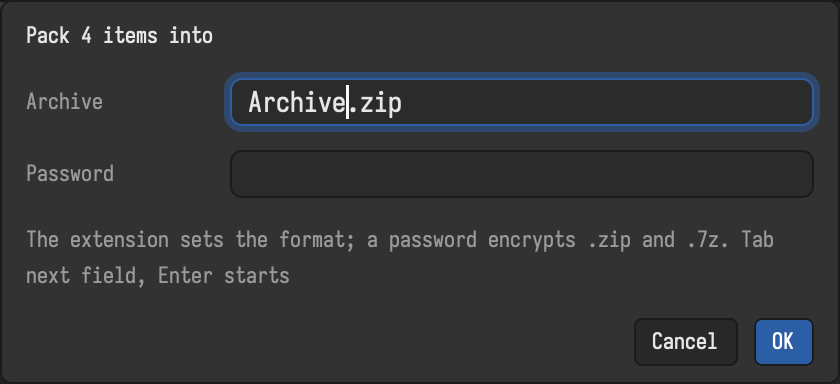
⌥F5 / Alt+F5 packs the selected files into an archive next to them, named after the file (report.pdf.zip) or Archive.zip for several. The name you type decides the format: .zip, .7z, .tar, .tar.gz, .tar.bz2, .tar.xz or .tar.zst. Zip and 7z archives can get a password (AES-256).
Files can also be copied into an existing zip, 7z or tar archive, and deleted or renamed inside it. Rar archives can only be read.
Unpack
⌥F9 / Alt+F9 unpacks the selected archives, each into a new folder named after it, next to the archive (photos.zip into photos). For one archive you can change the folder and give the password.