Multi-rename
Part of Bella Commander Full.
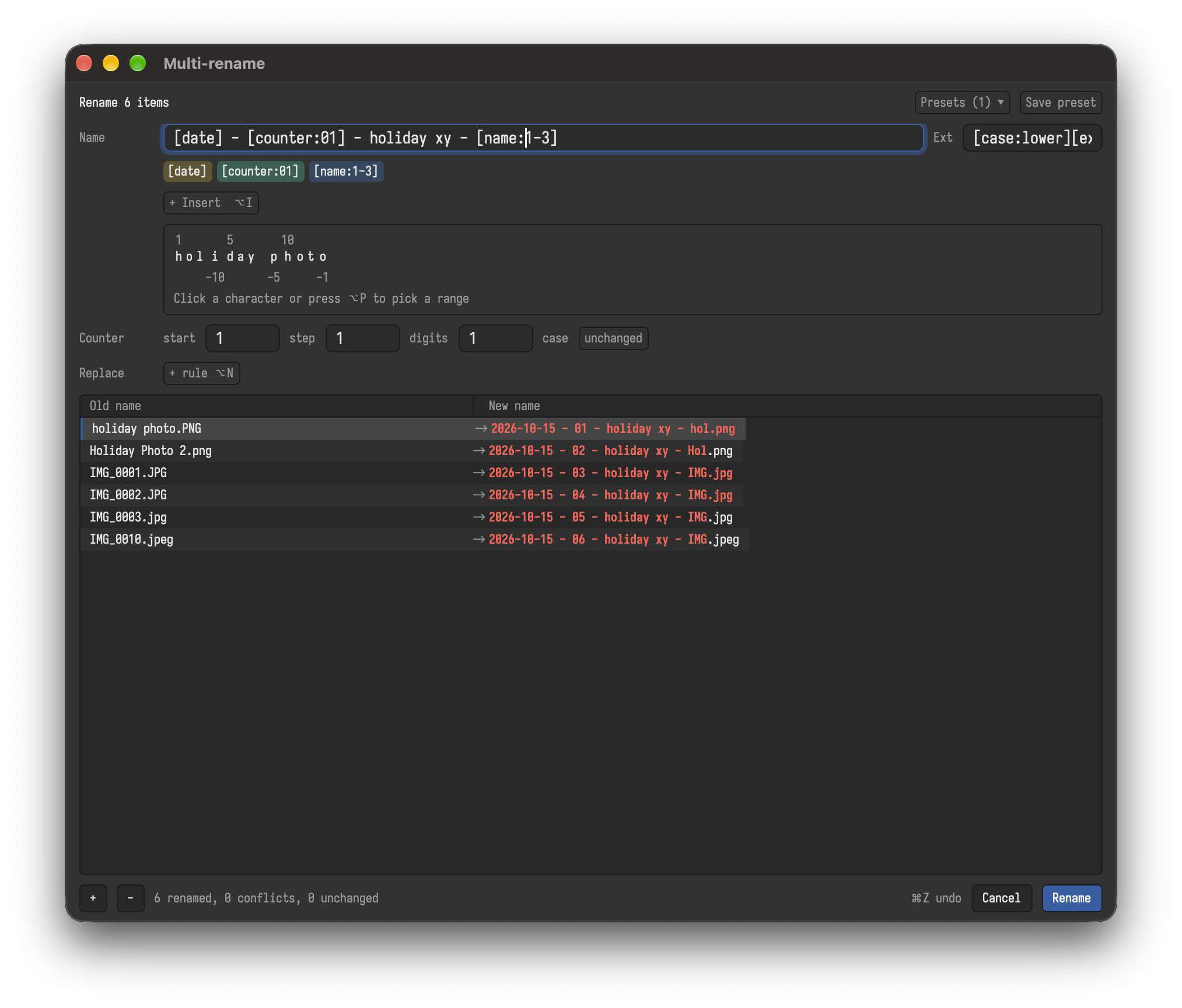
⌘M / Ctrl+M renames many files at once by a pattern. It opens its own window with the selected files; more can be dropped into it from the panes, Finder or Explorer, or added with ⌘O / Ctrl+O. The new names show while you type.
Masks
The name and extension fields are masks: text, and placeholders in square brackets that take parts of the old name.
| Placeholder | Gives | Example for Holiday Photo.JPG in 2026 |
|---|---|---|
[name] |
the name without extension | Holiday Photo |
[name:1-3] |
characters 1 to 3 | Hol |
[name:2-], [name:-5-] |
from the 2nd character, the last 5 | oliday Photo, Photo |
[ext] |
the extension | JPG |
[file] |
name and extension | Holiday Photo.JPG |
[folder], [folder:2] |
the folder, the one above it | 2026 |
[counter], [counter:001], [counter:10+5], [counter:a] |
1, 2, 3; 001, 002; 10, 15, 20; a, b, c | 001 |
[date], [date:YYYYMMDD], [time:HH.mm] |
the date and time of the last change | 2026-07-14 |
[title], [artist], [album], [track], [year], ... |
the tags of audio files | |
[case:upper], [case:lower], [case:words], [case:off] |
changes the case of the text after it | |
[[, ]] |
a bracket |
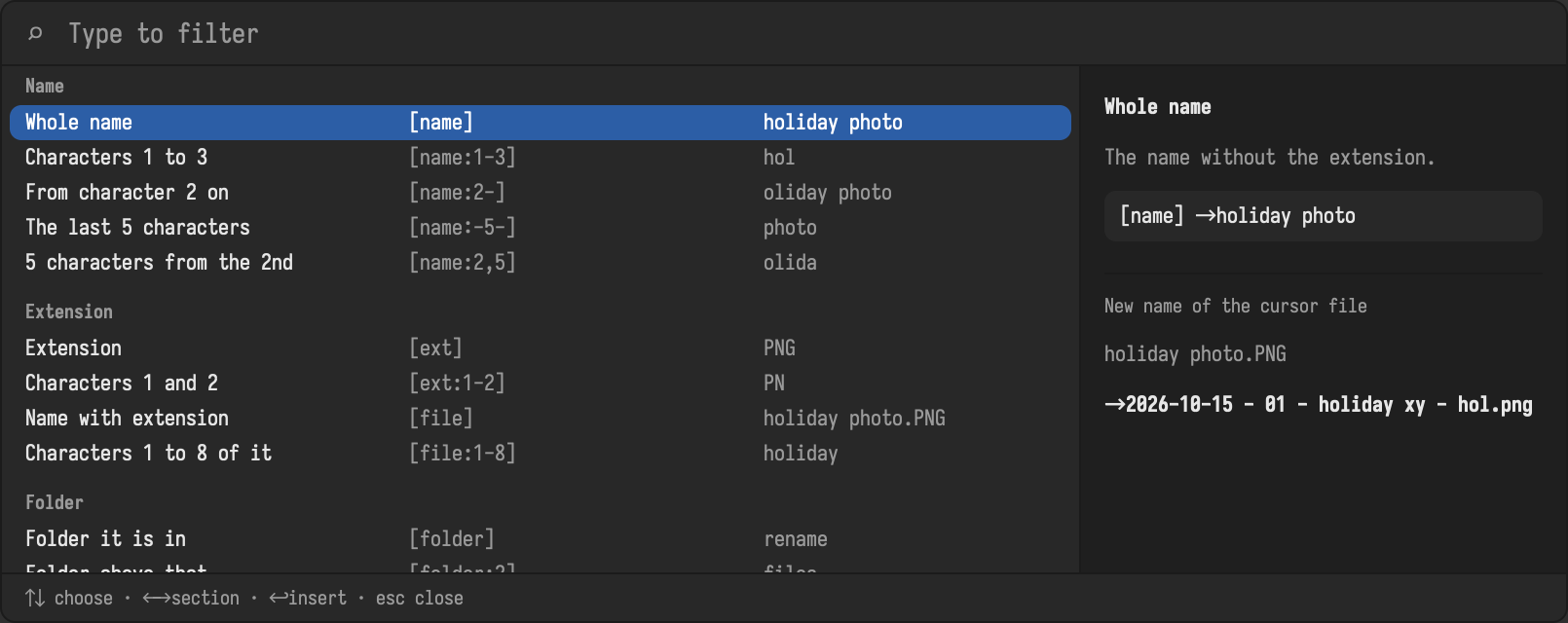
Typing a placeholder: type [ in a mask and a list opens under it: [ti offers [title], [time], [tracks], each with what it gives for the file under the cursor. ↑ and ↓ choose, Tab or Enter completes, Esc closes the list; other keys type on.
Browsing them: ⌥I / Alt+I, F1 or the Insert button opens a panel with all placeholders by section. Typing filters, ↑ and ↓ choose, ← and → jump between sections, Enter inserts at the caret of the mask. The panel stays open for the next one and shows the new name of the file under the cursor; Esc or the Insert button closes it. Click into a mask to type there while the panel stays open; F1 puts the keyboard back into the panel's search field. ⌥P / Alt+P picks a part of the name with the arrow keys and inserts it as [name:..].
Find and replace, case
Below the masks, rules find and replace text in the new names, as plain text or regular expressions with groups (⌥X / Alt+X), as often as you like (⌥N / Alt+N adds a rule). ⌥U / Alt+U changes the case of the whole name: lower, upper, first letter upper, every word upper.
Before renaming
Rows that would clash (two files with the same new name, a name that exists, characters the system does not allow, a path too long) are marked, and renaming waits until they are fixed. F2 gives one row a name of its own. The rows can be reordered and sorted; the counter follows the order.
Enter renames. ⌘Z / Ctrl+Z in the main window renames them all back, also after a restart.
Presets
⌥S / Alt+S saves the masks, rules and counter as a preset; ⌥L / Alt+L loads one. Presets are stored in settings.toml.