Searching
Quick: go to anything
⌘P / Ctrl+P finds folders and files below the active folder by a few letters of their name, see Moving around.
Search files
⌥F7 / Alt+F7 (also ⇧⌘F / Ctrl+Shift+F) opens the search dialog:
- Name: patterns like
*.pdf;*.docx, a word without*matches a part of the name,| draft*leaves names out; or a regular expression - Content: a text or regular expression, with match case and whole words; binary files are left out
- Size: from and to, like
10 MiBor500 kB - Modified: after and before, a date like
2026-10-01or an age like7d,2w,3m,1y - files, folders or both; optionally without what
.gitignoreexcludes
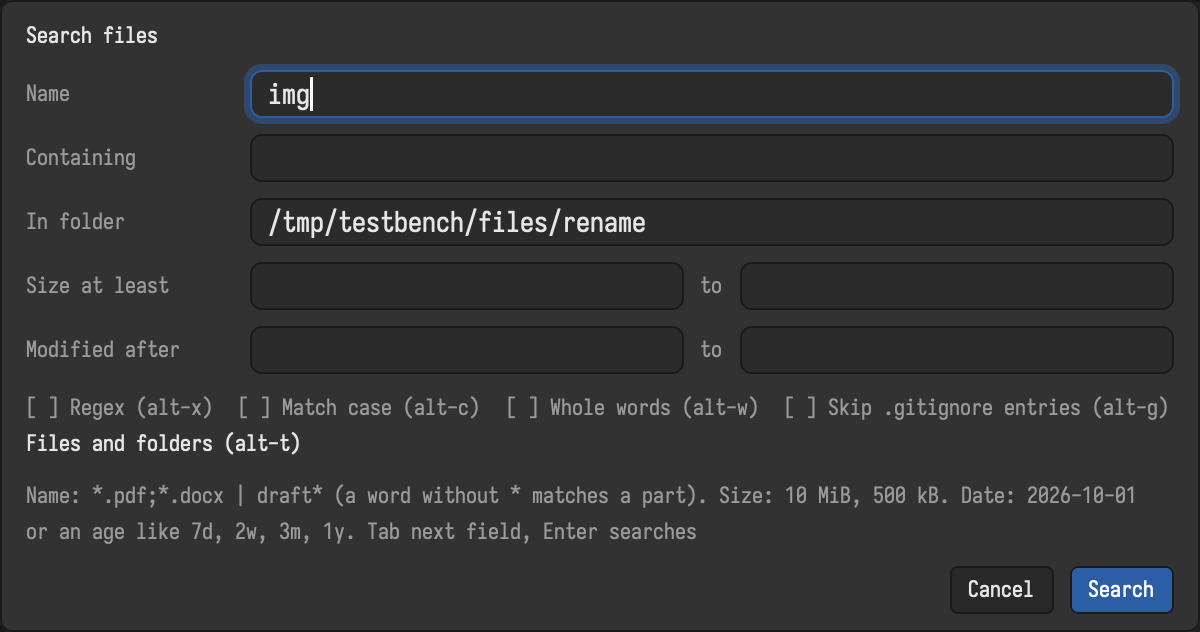
The search starts in the active folder (another folder can be typed) and remembers the last criteria. Hidden files are searched when the pane shows them.
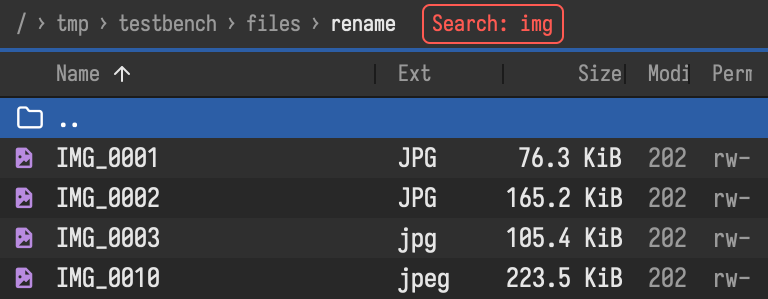
The results fill the active pane like a folder, each name with its path below the search folder, and arrive while the search runs. Everything works on them: view, edit, copy, move, delete, rename, multi-rename. Go to file folder opens a result's folder. ⌘R / Ctrl+R searches again; going up, or ⌃B / Ctrl+B, returns to the folder.