Terminal
⌘J / Ctrl+J shows a terminal below the panes and gives it the keyboard; ⌘J again hides it, the shell keeps running. A click on a pane gives the keyboard back to the panes.
- The shell starts in the active pane's folder and follows the active pane while you move around.
- It is your login shell (zsh, bash, fish, ...), PowerShell on Windows.
- Copy and paste:
⇧⌘C,⇧⌘V(Windows, Linux:Ctrl+Shift+C,Ctrl+Shift+V); with themacospreset⌘Cand⌘V.
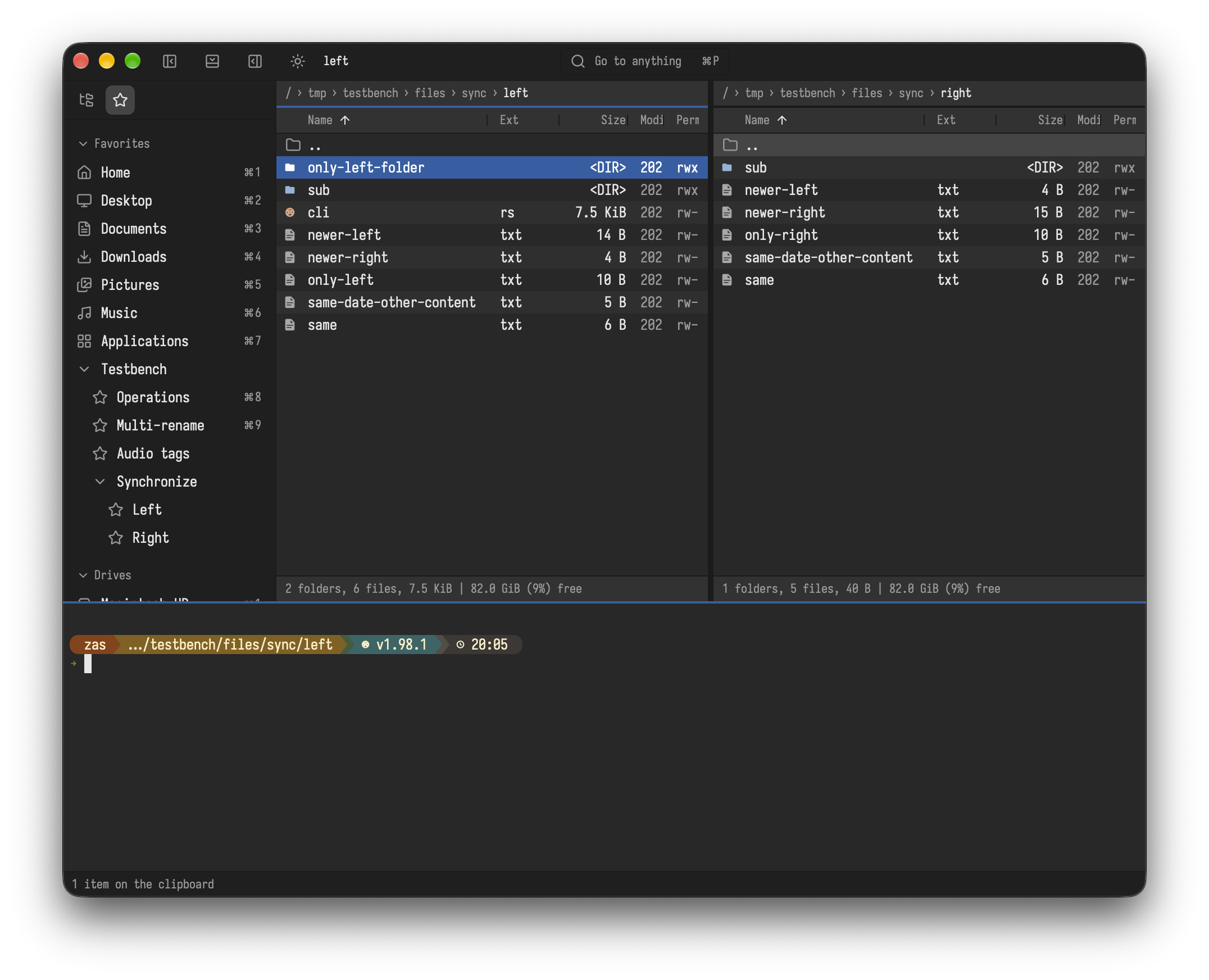
The shell, the place of the terminal (below the panes, or in place of the left or right pane) and whether it follows the pane are set under [terminal] in settings.toml, see Settings.
F11 opens the folder in a separate terminal app instead, see Customize.
Your own commands can also run in the terminal, see Customize.